


Companies need structure to succeed. Bringing in top talent is key, but without clear roles and responsibilities, even the best teams lose direction. The solution? A well-built hierarchy chart that clarifies reporting lines and keeps everyone aligned.
The hierarchy chart of a company lays out the organization’s structure and connects employees and teams. Let’s dig into everything you need to know to build your company chart.
Table of contents
- What Is a Company Hierarchy Chart?
- Definition and Purpose
- 4 Types of Organizational Structures
- Key Benefits of Hierarchy Charts
- How to Create a Company Hierarchy Chart
- 3 Tools for Building a Hierarchy Chart
- Automating Hierarchy Charts with HRIS Integration
- Start Structuring Your Company for Growth with OrgChart
What Is a Company Hierarchy Chart?
To solidify your company’s structure, you need to define your hierarchy first. This is your first step toward gaining total clarity on the state of your organization.
The hierarchy chart of a company should be tailored to the team’s unique needs, but all org charts follow the same general process.
Want to Visualize Your Team Structure?
See how OrgChart helps companies bring clarity to complex organizational relationships with drag-and-drop hierarchy charts
Definition and Purpose
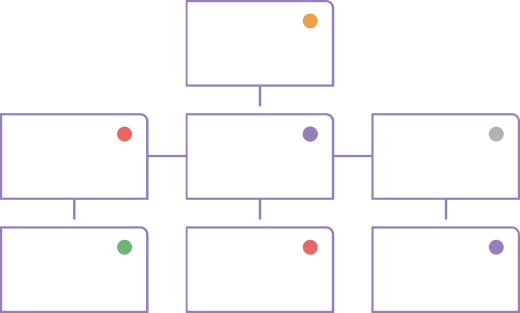
A hierarchy chart, also known as an organizational chart, is a top-down map of your company, starting with the CEO or founder and going all the way to your least senior employee. It’s meant to provide a big-picture view of the company and help all employees understand their role and the decision-makers on their team.
Each role within the hierarchy chart of a company is connected to its direct manager and any employees it supervises. This helps streamline communication, reduce conflicts, and improve team efficiency.
4 Types of Organizational Structures
Every company’s hierarchy chart is unique, but most follow one of four main organizational structures: hierarchical, flat, matrix, or divisional. Understanding these models helps you choose the one that best supports your team’s size, goals, and communication style:
Hierarchical
A hierarchical structure is the classic top-down model, where authority flows from senior leaders to middle managers and junior employees. It’s ideal for mid-size or large organizations that rely on clear reporting lines and formal leadership roles.
This structure provides defined career paths and simplifies succession planning, but it can also create silos and limit collaboration across departments.
Flat/Horizontal
A flat or horizontal structure reduces management layers and encourages open communication. It works best for smaller, agile companies where managers oversee broad teams and decision-making is more collaborative.
Flat charts promote transparency and quick action, though unclear accountability can sometimes cause overlap or confusion about responsibilities.
Matrix
A matrix structure chart blends functional and project-based reporting. Employees may report to more than one manager, such as a department lead and a project supervisor, fostering cross-functional collaboration and resource sharing.
While matrix charts improve flexibility and innovation, they can also create tension over priorities or decision-making authority if not clearly managed.
Divisional
A divisional organizational chart organizes employees by product line, region, or business unit. Each division operates like its own mini-organization with dedicated leadership, resources, and goals.
This model enables flexibility and fast adaptation to change, but it can also lead to duplicated work and misaligned priorities across divisions.
Key Benefits of Hierarchy Charts
A well-built hierarchy chart supports both HR strategy and employee success by bringing structure and clarity to your organization.
Clarifying Roles and Reporting Lines
Hierarchy charts define who reports to whom and what each role is responsible for. They help establish clear reporting lines and:
- Set clear expectations and responsibilities
- Prevent confusion around authority
- Strengthen team alignment and transparency
Supporting Onboarding and Planning
Sharing a hierarchy chart with new hires helps them understand their place in the organization from day one. For HR leaders, it simplifies planning by making it easier to:
- Identify role gaps or promotion opportunities
- Balance team workloads
- Test new structures during reorganizations
How to Create a Company Hierarchy Chart
Ready to start building your company hierarchy chart? Here’s what you need to know before you get started.
The hierarchy chart of a company should be tailored to the team’s unique needs, but all org charts follow the same general process.
Follow these six steps to build a clear, scalable company hierarchy chart:
Step 1: Understand Your Company Structure
Reflect on how your company currently functions and your org chart goals. Why are you creating a hierarchy chart, and how do you want it to benefit your organization?
Step 2: List All Roles
Start at the top of the chain of command with your founder and C-Suite, then move down to department leaders, managers, and other staff. Be sure to include outsourced roles, like freelancers or contractors, and group roles by team.
Step 3: Identify Reporting Relationships
Connect staff to their direct managers, then connect managers to their department heads, and so on. Include all relationships for employees who report to multiple supervisors.
Step 4: Establish Your Organizational Structure
Take your reflections from Step One and your staffing details to choose the best org chart format for your company. Choose what works best now, whether that’s a flat, hierarchical, matrix, or divisional structure.
Step 5: Build Your Chart
It’s time to put it all together! You can populate your chart manually or utilize an automated org chart builder (more on those below).
Step 6: Set a Review Cadence
Establish a schedule to regularly review your chart for updates, errors, and structural changes. Review quarterly to keep your chart accurate and relevant.
Curious How Top Companies Plan for Growth?
Discover how OrgChart simplifies forecasting and workforce planning across HR and leadership teams.
OrgChart is trusted by 2,000+ HR teams worldwide.
Formatting and Layout Tips
Keep your org chart clear and easy to navigate with these quick best practices:
- Eliminate Clutter: Include only key details and link to role descriptions when needed.
- Customize with Purpose: Use colors or symbols to clarify roles, not distract from them.
- Stay Consistent: Keep formatting uniform across teams to avoid confusion.
- Plan for Growth: Leave space for future or vacant roles so updates are simple as your company evolves.
Common Mistakes to Avoid
Avoid these pitfalls to keep your hierarchy chart accurate and effective:
- Waiting Too Long to Build One: Even small teams benefit from org charts as they clarify roles, improve communication, and prepare you for growth.
- Over-Customizing: Too many colors or shapes distract. Keep formatting clean and consistent for easy reading.
- Skipping Updates: Update your chart after hires, promotions, or departures. An outdated chart causes confusion.
- Sticking to One Structure: Not every company fits a strict hierarchy. Choose the format that best supports your goals and workflow.
Example: Construction Company Org Chart
A construction company’s hierarchy chart illustrates how leadership, project teams, and on-site workers collaborate across various projects. It typically starts with executives like the Owner or CEO, followed by department heads in Operations, Finance, and HR.
Below them, project-level roles, such as Project Managers, Site Supervisors, Engineers, and Foremen, oversee daily work and ensure safety compliance. This structure ensures clear communication, promotes accountability, and facilitates more effective planning across multiple sites.
See a full breakdown in our construction company hierarchy chart guide.
3 Tools for Building a Hierarchy Chart
Choosing your org chart builder is just as important as choosing your org chart structure! Let’s do a quick rundown of the most common tools used to build a hierarchy chart of a company.
Microsoft Visio
Visio is Microsoft’s dedicated org chart builder and comes with an array of features to streamline the process. The tool includes customizable templates to help you visualize team structures, and is equipped with an Organization Chart Wizard to populate and format your hierarchy quickly.
Microsoft PowerPoint
You’re probably already familiar with PowerPoint, Microsoft’s slideshow platform. PowerPoint features organizational chart templates that can be customized with color-coding and reporting line options.
Microsoft Excel
If you’d rather use a spreadsheet for your organizational chart, Microsoft Excel is a great option. The program features built-in chart editors and an intuitive row– and column-based format that’s ideal for creating hierarchical charts.
Are you unsure which software is right for your team? Explore our comprehensive guide to selecting the most suitable org chart builder tailored to your team’s needs and tools.
Tired of Updating Org Charts Manually?
Discover how OrgChart syncs with your HR data to build and update hierarchy charts in minutes.
Automating Hierarchy Charts with HRIS Integration
While manual org chart builders are great starting points, using an automated, cloud-based org chart software is the way to go for growing organizations.
From Static Charts to Living Documents
Tools like Visio, PowerPoint, and Excel make it easy to start an org chart—but hard to maintain one. Manual updates lead to errors, outdated data, and charts employees can’t rely on.
The fix? Automated org charts that sync with your HRIS or payroll system. They pull real-time data, instantly update roles, and grow with your organization.
How HRIS Integration Works
HRIS integration connects your existing HR tools to automatically populate hierarchy charts with roles, reporting lines and departments. With real-time syncing, updates like new hires or promotions appear instantly, keeping your chart accurate and up to date for everyone.
Benefits of Automated Charts
Automated org charts streamline the creation process and come with benefits like:
- Reduced version control issues
- Minimal manual rework
- Instant scaling and adjusting
- Enhanced collaboration between HR and leadership
- Simplified compliance and auditing
OrgChart’s HRIS Sync Capabilities
OrgChart is powered by robust HRIS sync, allowing instant data updates and real-time chart changes as your organization expands. OrgChart integrates with top HR platforms, including ADP, Workday, and Dayforce, to automatically build and maintain accurate hierarchy charts, saving you valuable time and energy.
Start Structuring Your Company for Growth with OrgChart
Building a hierarchy chart is essential for keeping operations smooth and employees aligned. Whether your structure is hierarchical, flat, matrix, or divisional, a well-maintained chart brings clarity, improves communication, and simplifies planning.
Manual tools are a great starting point, but automated org charts take it further, eliminating manual updates and syncing real-time HR data for accuracy and ease.
Ready to See Your First Automated Org Chart?
Learn how OrgChart automates the process of creating professional org charts in minutes, no design skills needed.